



🚀 Teachers, Stop Burning Weekends: 10 AI Shortcuts That Give You Your Life Back
How Smart Educators Are Using AI to Cut Workload, Boost Student Engagement, and Reclaim Their Time
Teaching doesn’t have to mean burnout. Explore 10 powerful AI tools every teacher should use to save hours, improve lesson planning, boost engagement, and simplify classroom workflows.
Let’s be honest. You didn’t become a teacher to spend nights formatting worksheets, rewriting lesson plans, and summarizing chapters like a human printer.
You became a teacher to teach, inspire, and connect with students.
Good news?
AI is not here to replace you — it’s here to remove your workload bottlenecks.
Below are 10 powerful classroom AI use-cases that smart educators are already using to save 5–10 hours every week while improving learning quality.
Let’s dive in 👇
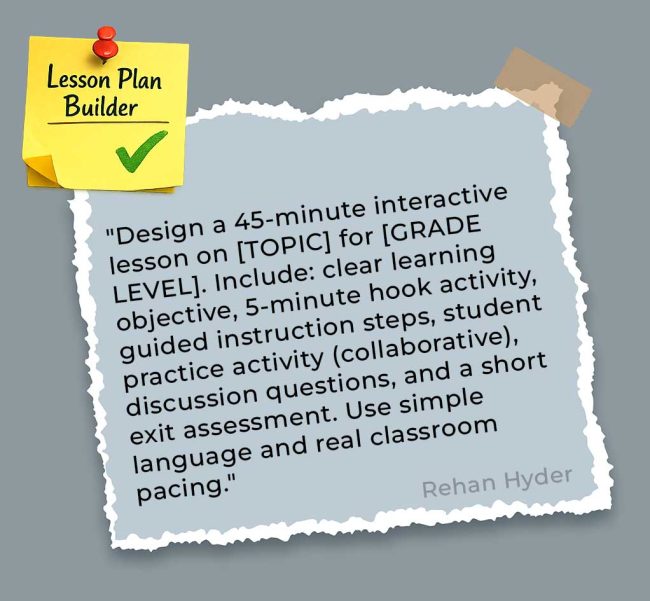
🎯 1) Instant Lesson Plan Builder (Ready in 5 Minutes)
Stop staring at blank lesson templates.
Turn any topic into a complete, classroom-ready lesson with one command.
🔥 Smarter Prompt:
“Design a 45-minute interactive lesson on [TOPIC] for [GRADE LEVEL]. Include: clear learning objective, 5-minute hook activity, guided instruction steps, student practice activity (collaborative), discussion questions, and a short exit assessment. Use simple language and real classroom pacing.”
✅ Result: Tomorrow’s lesson — done today.
📚 2) Student-Friendly Content Summarizer
Long chapters = student burnout.
Convert heavy academic content into easy-to-read learning notes.
🔥 Smarter Prompt:
“Summarize the following content for [GRADE LEVEL] students. Use bullet points, simple vocabulary, short sentences, visual-style formatting, and include: main ideas, 3 quick takeaways, and highlighted difficult words with meanings. Keep under one page.”
✅ Result: Better understanding, less confusion.
⚡ 3) Differentiation in 60 Seconds
One class. Three learning levels. Zero extra planning time.
🔥 Smarter Prompt:
“Adapt this lesson on [TOPIC] into three versions:
• Support Level (simplified language + guided steps)
• Standard Level (grade-appropriate)
• Advanced Level (critical thinking + challenge task)
Include activities, assessment criteria, and output expectations.”
✅ Result: Every student stays engaged.
🗣️ 4) Discussion Question Generator That Actually Works
No more awkward classroom silence.
🔥 Smarter Prompt:
“Create 10 engaging discussion questions on [TOPIC] for [GRADE LEVEL]. Include:
• 3 recall questions
• 4 critical thinking questions
• 3 opinion/debate questions
Make them student-life related. Avoid yes/no questions.”
✅ Result: Real conversations, real thinking.
🌍 5) Real-Life Connection Creator
Students learn faster when they see why it matters.
🔥 Smarter Prompt:
“Give 8 real-world examples of [CONCEPT] relevant to [GRADE LEVEL] students. Include examples from: sports, social media, gaming, daily routines, trending news, and pop culture. Explain each in 1–2 simple lines.”
✅ Result: Engagement instantly increases.
📝 6) Auto Quiz Generator + Answer Key
Assessment ready before your tea cools down ☕
🔥 Smarter Prompt:
“Create a 10-question assessment on [TOPIC] for [GRADE LEVEL] including:
• 5 MCQs
• 3 short answers
• 2 real-world application questions
Provide answer key with short explanations.”
✅ Result: Instant testing material.
📩 7) Parent Communication — Without the Jargon
Explain classroom learning in a friendly human tone.
🔥 Smarter Prompt:
“Write a parent update email about [TOPIC] we’re learning this week. Include: learning purpose, student benefits, two at-home support tips, and one helpful online resource. Tone: warm, simple, supportive. Under 150 words.”
✅ Result: Better parent engagement.
🧸 8) Kid-Friendly Explainer Tool
Turn textbook language into student language.
🔥 Smarter Prompt:
“Explain [COMPLEX TOPIC] to [GRADE LEVEL] students using everyday words, one familiar analogy, and one real-life example. Keep it under 100 words. Make it conversational and fun.”
✅ Result: Faster comprehension.
🚨 9) Misconception Detector
Fix mistakes before exams expose them.
🔥 Smarter Prompt:
“List 5 common misconceptions students have about [TOPIC] at [GRADE LEVEL]. For each include: why confusion happens, correct explanation, and a quick classroom activity or question to fix it.”
✅ Result: Stronger concept clarity.
🎲 10) Classroom Activity Generator
Low prep. High engagement. Maximum learning.
🔥 Smarter Prompt:
“Create 5 hands-on classroom activities for teaching [TOPIC] to [GRADE LEVEL] students. Include materials, time required, step-by-step instructions, student grouping method, and adaptation for large classes.”
✅ Result: Active learning classrooms.
🔥 Pro Teacher Hacks
✔ Add “Include credible sources” for worksheets and handouts
✔ Use Academic Focus Mode for research-backed strategies
✔ Save your top 3 prompts — reuse weekly
✔ Combine tools: Summary + Kid Explanation = Reading mastery
🧠 Reality Check
AI won’t replace teachers.
But teachers who use AI efficiently will outperform those still spending:
❌ 10 hours on formatting
❌ 5 hours searching Google
❌ Weekends fixing documents
⚡ Monday Action Plan
Try this:
1️⃣ Choose Prompt #1, #2, or #6
2️⃣ Apply it to next week’s lesson
3️⃣ Save 2–3 hours instantly
4️⃣ Repeat every week
Simple.
✅ Final Thought
You are an educator — not a document designer.
Let AI handle the boring tasks.
You handle the magic of teaching ✨
